
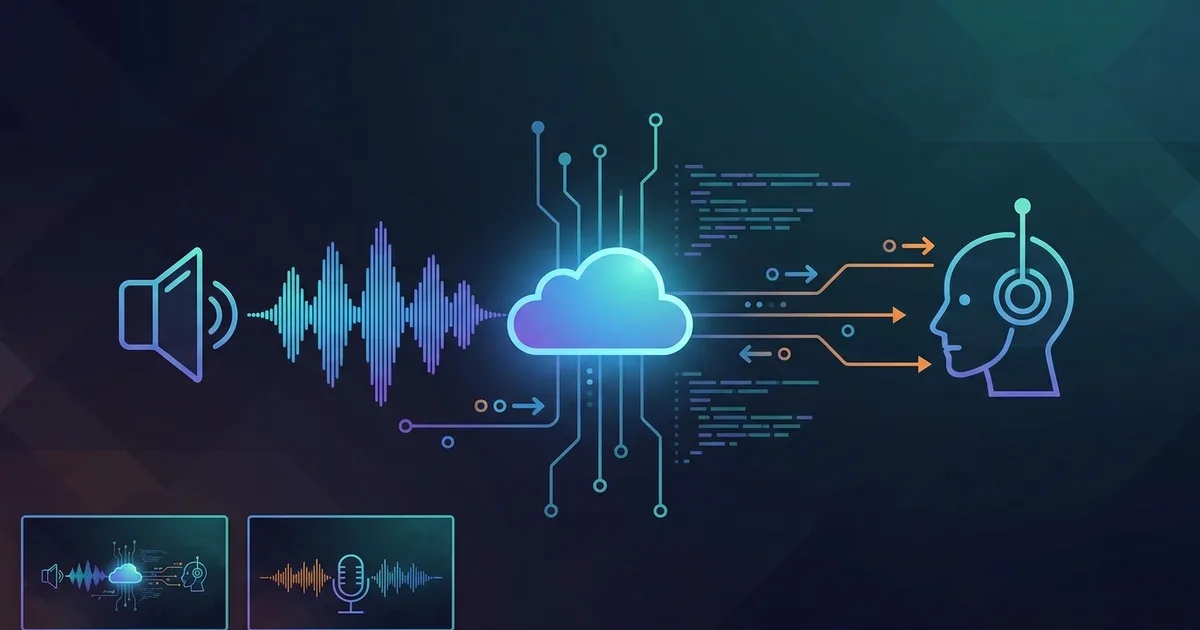
If your voice agent feels awkward, the problem is often not the LLM — it's the speech layer. A transcript that arrives late, rewrites itself too often, or misses the end of a user turn can make even a strong agent sound slow and confused. I've spent years covering and evaluating production voice stacks, and I built this guide around the choices that matter when STT has to work inside a live conversation, not just on a clean audio file.
In this article, I'll break down how speech to text actually fits into a voice-agent pipeline, what streaming, endpointing, latency, and transcript stability mean in practice, and what developers should check before wiring STT into an agent stack. I'll also call out where modern voice platforms and STT vendors differ, so you can choose an approach that matches your product, deployment, and compliance needs. By the end, you'll know exactly what separates a usable voice-agent transcription layer from one that will cause problems in production.
How I Evaluated Speech To Text For Voice Agents
I looked at STT the way a product team does before a pilot call goes live. The transcript matters, but only as part of a turn. If a user says, “I need to change the card on file,” pauses, then keeps going, the question is whether the system waits, keeps listening, and emits usable text without forcing the agent to guess.
The checks were basic on purpose. How fast does the first usable text appear. Does the service finalize too early on brief pauses. Does it rewrite partial text enough to confuse downstream logic. Can it survive barge-in without losing the current turn. In one support-flow test I watched, the failure was not recognition accuracy. It was a 400 to 500 ms delay that pushed the reply just far enough back to make the exchange feel clumsy.
I also looked at the surrounding stack, because STT rarely runs alone. Phone routing, browser capture, observability, and deployment controls often decide the shape of the transcription layer before accuracy does. VoiceRun's docs frame speech-to-text as one event inside a larger agent runtime, not as a separate endpoint that the app calls and forgets.[1]
How Speech To Text Fits Into A Live Voice Pipeline
In a live voice agent, STT sits between audio capture and the agent's next decision. The common chain is audio in, text out, LLM in the middle, then TTS back to audio. OpenAI's voice-agent docs describe that chained setup alongside speech-to-speech systems that skip an explicit text layer.[2]
The important detail is that STT is not just converting audio. It is also helping with turn-taking. A voice agent needs to know whether the user is done speaking, whether a pause is just a pause, and whether a new utterance should interrupt an answer already in flight. OpenAI's speech-to-text docs describe chunking strategies that can use VAD, while AssemblyAI's voice-agent docs put end-of-turn detection front and center.[3][4]
That is why a transcript that arrives late can be more damaging than one that is a little rough around the edges. If the model hears the words eventually but misses the timing, the agent still feels out of step.
The Features That Matter Most In Production
The shortlist is shorter than vendor marketing suggests.
- Streaming output that arrives while audio is still coming in.
- Endpointing that does not fire too early.
- Partial transcripts that do not keep changing in ways that break logic.
- Word timestamps and confidence scores for debugging.
- Vocabulary controls for product names and acronyms.
- Deployment options that match the security model.
Latency matters, but end-to-end latency matters more. Audio capture, network transport, chunking, endpointing, transcript emission, LLM processing, and TTS all sit on the clock. OpenAI's Realtime API is built around streaming over WebSocket, which is the right transport for a live call, but the useful metric is still the full loop from microphone to response.[5]
Transcript stability is another place where products differ in a way developers feel quickly. Some systems stream drafts and revise them several times. AssemblyAI's Universal-Streaming calls out immutable transcripts, which reduces the chance that a tool call fires on text that later disappears.[4]
Deployment can be the deciding factor in enterprise work. VoiceRun runs as a serverless cloud by default, with in-VPC deployment in the customer's own environment and dedicated deployments at the enterprise tier.[6] AssemblyAI also offers self-hosted streaming.[7] Google, by contrast, tends to fit teams already standardized on GCP, where IAM and billing alignment matter as much as speech features.[8]
Speech To Text For Voice Agents: What To Choose In 2026
The choice usually comes down to the role STT plays in the product.
If transcription is one subsystem inside a larger voice application, a code-first platform can reduce glue code and make turn handling easier to inspect. VoiceRun is built around that model. Its docs describe an event-driven system where speech-to-text is handled inside the agent loop — and the platform is an orchestrator rather than a model vendor, with nine STT models from Deepgram, OpenAI, Qwen, Cartesia, ElevenLabs, and Soniox behind one integration, switchable via configuration with automatic fallback chains.[1] Pricing is public and pay-as-you-go: $0.030/min for the full platform — Audio Runtime and Agent Runtime at $0.015/min each — with STT, TTS, and LLM costs passed through at published provider rates, either on your own keys or VoiceRun-managed with an explicit surcharge on the bill.[9] Enterprise deployments can run in the customer's environment, in-VPC, with dedicated infrastructure at that tier.[6]
If the transcript itself is the product surface, a focused STT vendor is usually easier to tune. That tends to matter when word-level timing, endpointing, self-hosting, or vocabulary adaptation are the main requirements.
If the team already runs on a large cloud platform, the cloud-native speech service can be the more practical choice. Google Cloud Speech-to-Text is often selected for that reason. The service fits existing IAM, billing, and deployment patterns, even if it is not presented with the same voice-agent-specific language as newer platforms.
The decision frame is simpler than the vendor list: choose a platform when you want STT handled as part of a larger runtime, and choose a dedicated speech service when transcription quality, controls, or deployment constraints are the primary problem.
When A Code-First Voice Platform Makes Sense
A code-first voice platform makes sense when the voice agent is treated like software that will be tested, measured, and shipped repeatedly. VoiceRun says it is a platform to build, deploy, test, and ship production voice agents from the terminal, with CLI-driven workflows and Python-based agent functions.[10]
That setup is useful when STT has to interact with the rest of the call flow. VoiceRun's CLI docs include sessions, traces, recordings, custom metrics, experiments, and usage reporting.[11] On a support pilot, that matters more than a polished demo because the failure usually lives in a session trace, not in a benchmark table.
The deployment model is part of the appeal for larger teams. VoiceRun runs serverless in its cloud by default, supports in-VPC deployment in the customer's environment, and adds dedicated deployments, SOC 2, and extended retention at the enterprise tier.[6] The public pricing page itemizes the platform instead of bundling it: $0.015/min for Audio Runtime, which includes both the Direct WebSocket and SIP Trunking connectors, $0.015/min for Agent Runtime, and Infrastructure & Tooling included, with volume discounts down to a $0.015/min full-platform floor. Enterprises that want a managed service pay an all-in $0.05–$0.07/min on annual commits — that buys forward-deployed engineering, not a discount.[9]
When A Dedicated STT Vendor Is The Better Fit
A dedicated STT vendor fits best when the transcription layer needs to be tuned on its own. That comes up in compliance-heavy support lines, multilingual calls, and products that already have a separate orchestration layer.
AssemblyAI is the clearest example. Its voice-agent materials focus on universal streaming, configurable end-of-turn detection, word-level timestamps, confidence scores, and Keyterms Prompting.[4] It also says Universal-3 Pro Streaming is optimized for utterances under 10 seconds, which matches the short turns common in live conversations.[12]
The self-hosted option matters when audio cannot leave the customer environment. For teams that need that boundary, a vendor with a documented self-hosted path is easier to work with than one that only exposes a public API.[7]
OpenAI's Realtime And Transcription Stack
OpenAI gives voice teams two paths. The first is transcription through the Audio API, with models such as gpt-4o-mini-transcribe, gpt-4o-transcribe, and gpt-4o-transcribe-diarize. The second is Realtime, which is designed for low-latency interaction over WebSocket and can support speech-to-speech workflows.[3][5]
That split maps to two common builds. If the product needs text logs, moderation, or a text-first LLM stack, the transcription models are the cleaner fit. If the goal is to keep the call in one audio loop, Realtime is the more direct path. OpenAI also notes a 25 MB file upload limit for transcription, which matters for batch uploads and longer recordings.[3]
For browser-based agents, the current Realtime guidance is the place to start. It is where OpenAI has put more of the live-session workflow.
AssemblyAI For Voice-Agent Streaming
AssemblyAI's current product framing is built around the parts that usually cause live calls to wobble. It talks about low-latency streaming, end-of-turn detection, immutable transcripts, and the support data used during debugging, such as word timestamps and confidence scores.[4]
That is a practical fit for short, interrupted exchanges. A user starts a sentence, pauses, gets cut off, then resumes. A transcription layer that keeps revising itself tends to make the downstream agent worse. A layer that finalizes cleanly and surfaces turn boundaries more predictably is easier to build around.
AssemblyAI also has a self-hosted streaming path, which is the line item that usually decides the discussion for privacy-sensitive teams.[7]
Google Cloud Speech-To-Text For Enterprise Workflows
Google Cloud Speech-to-Text fits teams that already live inside GCP and want speech to behave like the rest of the stack. Its streaming recognition is documented as a bi-directional real-time stream, which is the basic requirement for a live voice agent.[8]
The other practical detail is endpoint coverage. Google's quota docs say multiple language recognition is limited to the global, US, and EU endpoints.[13] That is the kind of constraint that can shape deployment choices before the first customer call.
For teams already using Google Cloud for storage, compute, and identity, the appeal is consistency. The speech product fits into an existing operational model instead of introducing a separate one.
How To Test Your STT Before Shipping
The fastest way to get STT wrong is to test it on clean audio and stop there. Real calls are noisy, interrupted, and full of half-finished thoughts.
A useful test plan includes:
- Short and long utterances
- Barge-in while TTS is playing
- Product names, acronyms, and slang
- Quiet speakers and accents
- Two-speaker calls, if the use case needs them
- Mobile mic capture and phone audio
- Network jitter and delayed packets
Three numbers are worth tracking together: first usable text latency, final transcript latency, and false endpoint rate. A system can be accurate and still feel bad if it waits too long to decide the user is done. The same is true in reverse. A fast system that ends turns too early will still create broken calls.
For teams with time to compare stacks, I would run the same scripted call flow through two services and review the session traces side by side. The transcript difference is often smaller than the behavioral difference.
Frequently Asked Questions
What matters more for voice agents, accuracy or latency?
Latency usually matters more in live calls. A transcript that is slightly imperfect but arrives fast enough to support turn-taking is often more usable than a more accurate transcript that lands too late.
Do all voice agents need a separate STT layer?
No. Some speech-to-speech systems process audio directly. A separate STT layer still makes sense when teams need text logs, moderation, tool calls from text, or a modular architecture.
What should I test first in an STT vendor?
Start with first usable text latency, endpointing behavior, and transcript stability. Those three usually surface the problems that show up in production before raw accuracy does.
When does self-hosted STT matter?
Self-hosted STT matters when audio has to stay inside a specific environment for privacy, compliance, or network reasons. It also helps when deployment control is part of the buying decision.
Is Google Cloud Speech-to-Text a good fit for voice agents?
It can be, especially for teams already on GCP. The main tradeoff is that it fits enterprise cloud workflows well, while other vendors surface more voice-agent-specific controls such as end-of-turn handling or immutable streaming transcripts.
References
- VoiceRun docs: https://docs.voicerun.com/agent-building/overview/index.html
- OpenAI voice-agent architecture: https://platform.openai.com/docs/guides/voice-agents
- OpenAI speech-to-text: https://platform.openai.com/docs/guides/speech-to-text?lang=curl
- AssemblyAI voice-agent streaming: https://www.assemblyai.com/solutions/voice-agents
- OpenAI Realtime streaming transcription: https://platform.openai.com/docs/guides/realtime/
- VoiceRun platform: https://voicerun.com/platform/
- AssemblyAI self-hosted streaming: https://www.assemblyai.com/docs/streaming/self-hosted-streaming
- Google Cloud Speech-to-Text streaming: https://cloud.google.com/speech-to-text/docs/speech-to-text-requests
- VoiceRun pricing: https://voicerun.com/pricing/
- VoiceRun platform: https://voicerun.com/
- VoiceRun CLI overview: https://docs.voicerun.com/voicerun-cli/overview/index.html
- AssemblyAI Universal-3 Pro: https://www.assemblyai.com/docs/streaming/universal-3-pro
- Google Cloud STT quotas: https://docs.cloud.google.com/speech-to-text/docs/quotas